
To be given the privilege as portal admin, and have the ability to access quotation feature, you are required to submit your profile for verification, by getting the softcopy version of the LOA (Letter Of Approval) from your company.
The LOA should include the company signature, it can be retrieved from your finance / HR / Management Team.
Profile verification
From the main menu, mouse over to your profile name, a drop-down menu will be shown, and click "Profile"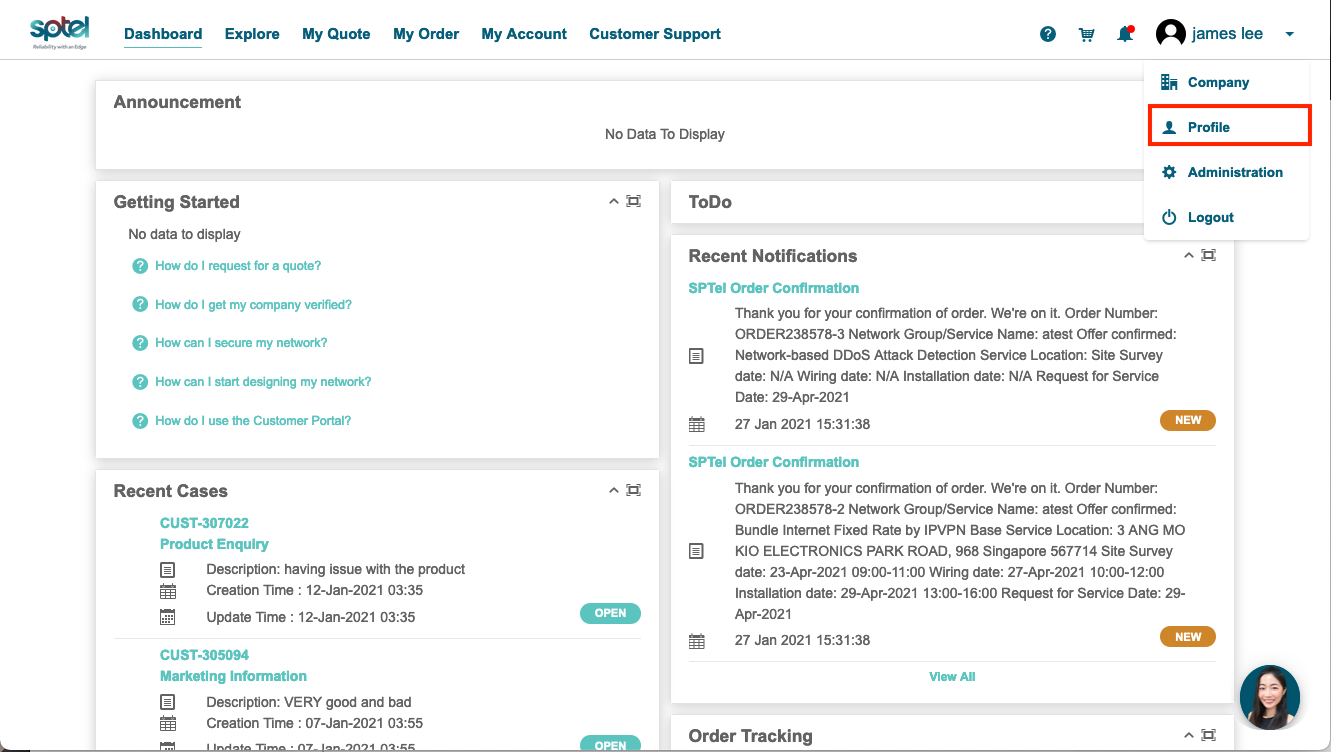
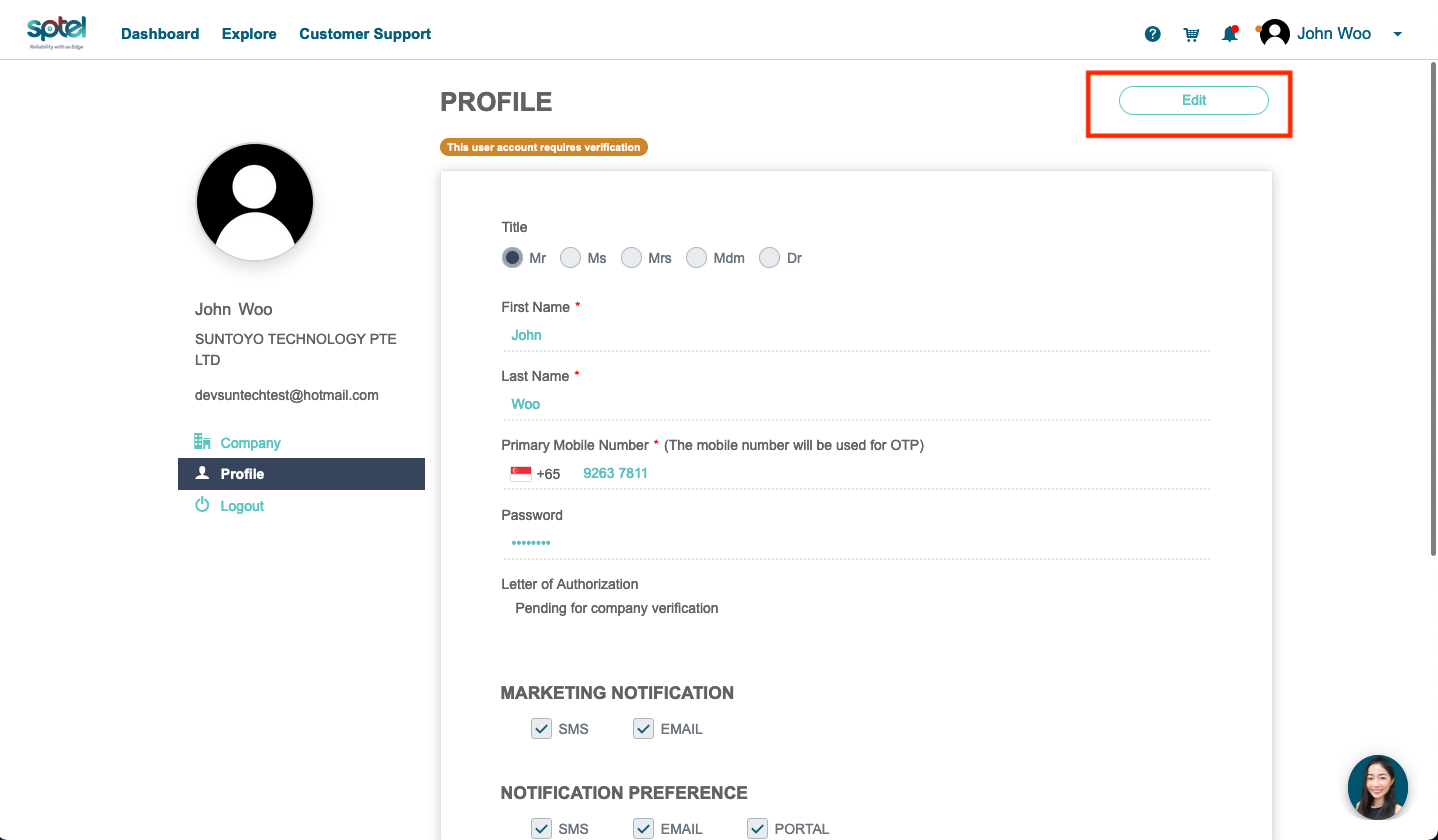
At profile setting page, click "Edit"
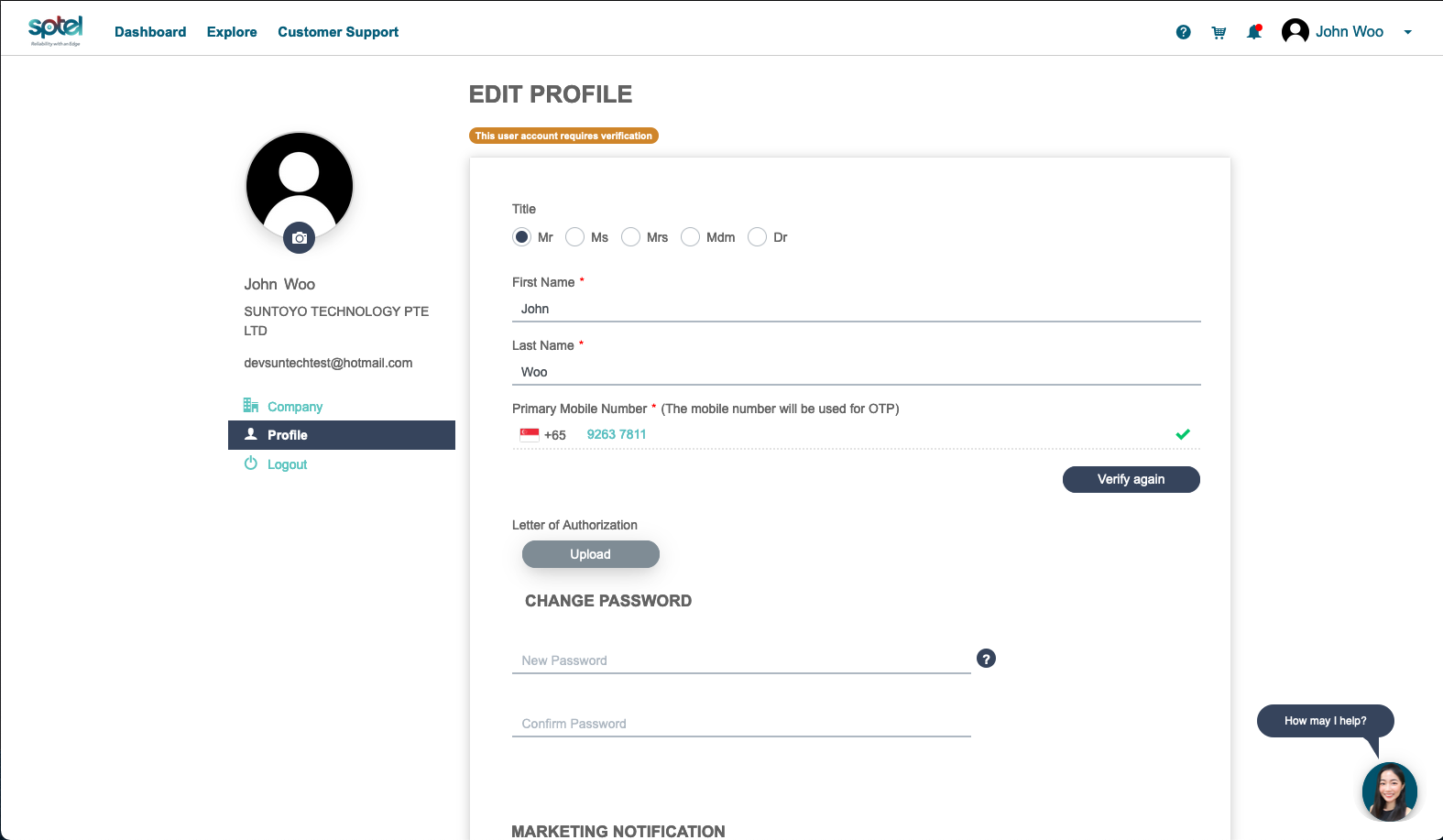
The field for Letter of Authorization will appear and click on "Upload"
You will see a pop-up screen to upload your document, and click "upload" after you are done.
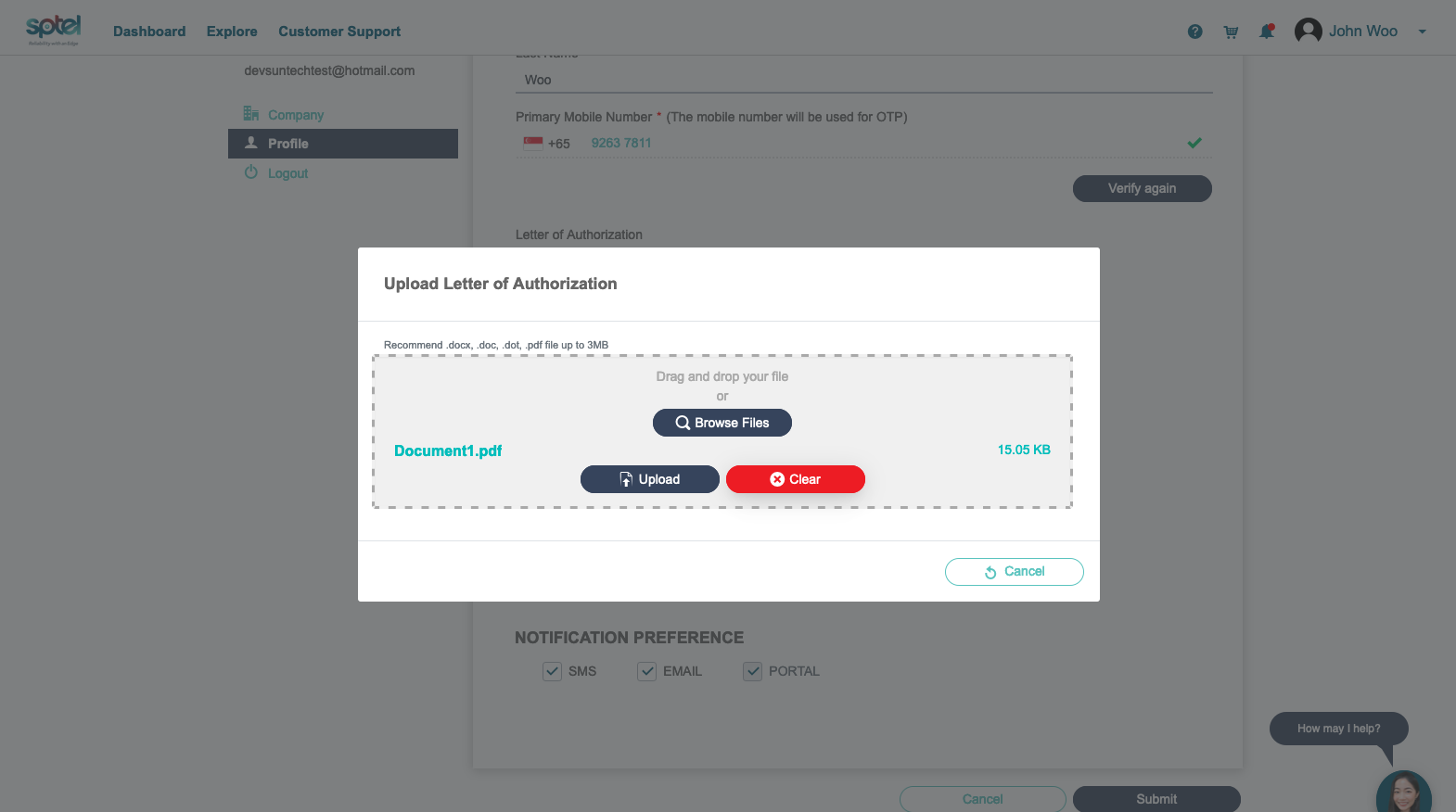
Upon completion of uploading click on "submit" below the page. Your request will then be forwarded to the relevant SPTel staff for review and approval.